For utilities and asset-intensive organizations, data is only as valuable as it is current. When your GIS and enterprise systems — whether that’s Maximo, SAP, Oracle, or another platform — are telling two different stories about the same asset, decisions slow down, errors creep in, and operational efficiency takes a hit. That’s the problem Geonexus Integration Platform’s (GIP) Near Real Time (NRT) functionality was built to solve. And with two major new capabilities now available — NRT Deletes and the NRT Summary Report — there has never been a better time to put NRT to work in your organization.
Traditional data synchronization runs on a schedule — nightly, weekly, or on-demand. It works, but it means your teams are often making decisions based on data that’s hours or days old. Near Real Time synchronization changes that dynamic entirely.
With GIP’s NRT functionality, changes detected in your source systems — creates, updates, and now deletes — are automatically pushed to your target systems continuously throughout a configured time window (for example, your full working day or across multiple shifts). Rather than waiting for a batch job to run overnight, your GIS reflects what’s actually happening in the field, right now.
This matters enormously in environments where assets are being created, modified, decommissioned, and removed on a daily basis. A work order completed in Maximo should update your GIS. A new asset installed in the field should appear across all connected systems. And a record that no longer exists? It should be gone — everywhere.
The most significant new capability in this release is full support for NRT Deletes. This means GIP can now detect when records are removed in your source system and propagate those deletions to your target system as part of the Near Real Time sync cycle.
Here’s how it works: as GIP synchronizes data, it tracks which records have been successfully synced. If a previously synced record no longer exists in the source system, GIP recognizes it as deleted and responds according to the rule you’ve configured for that datasource. There are two options, each designed for a different real-world scenario.
Rather than removing the target record, GIP clears the linked fields or sets a status attribute to indicate that the source record no longer exists. The target record stays intact.
This is the right choice when the target record holds value beyond what was synced from the source — spatial geometry, historical context, or data required for regulatory compliance.
Consider these examples:
When the target record exists solely to reflect the source and has no standalone value once that source record is gone, GIP removes it entirely from the target system. Again, real-world examples illustrate when this is the right call:
The ability to configure how GIP responds to a deletion — not just whether it responds — is what makes this implementation genuinely useful across a wide range of operational scenarios. Organizations that previously couldn’t adopt NRT because they needed full synchronization — creates, updates, and deletes — can now do so with confidence. If that describes your team, this update was built for you.
The second major new feature addresses a pain point that NRT power users know well: visibility.
Until now, GIP generated an individual report for each NRT execution cycle. For teams running NRT across a full working day or multiple shifts, that could mean reviewing dozens — even hundreds — of individual reports to understand the total impact of a synchronization session. That’s not just inconvenient; it’s a real barrier to audit readiness, operational oversight, and team accountability.
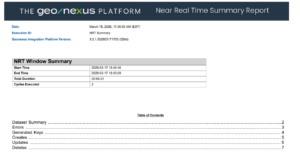
The NRT Summary Report solves this by generating a single, consolidated report at the end of each NRT execution window. It aggregates all create, update, delete, and error activity across every cycle in that session and presents it in one clear, navigable document.
Here’s what the Summary Report includes:

The Summary Report is generated automatically — no additional configuration is required to receive it. If you’d prefer to continue receiving individual cycle-level PDF reports as well, that option remains available through a simple setting in Report Maker Properties.
For administrators, compliance teams, and anyone responsible for validating that a day’s synchronization ran cleanly, this report is a game-changer.
If you’re an existing Geonexus customer who hasn’t yet enabled Near Real Time, setup is more straightforward than you might expect. NRT is configured at the dataset level within GIP, and your existing project configuration doesn’t need to be rebuilt from scratch. We’ve also put together a step-by-step video walkthrough that guides you through enabling and configuring NRT within your existing setup — so you can see exactly what’s involved before you begin.
For customers newer to Geonexus who are just learning what GIP can do, NRT is one of the platform’s most powerful differentiators. It’s worth noting that NRT is designed to work alongside Full Compare Mode, not replace it. We recommend continuing to run Full Compare Mode at least weekly to ensure complete record synchronization across your systems. Think of NRT as your day-to-day engine for keeping data current between those full syncs — together, the two modes give you both the speed of continuous synchronization and the confidence of periodic full validation.
Watch: NRT Configuration for GIP Users
Near-real-time synchronization has always represented the gold standard for keeping enterprise data aligned. With the addition of NRT Deletes and the NRT Summary Report, GIP now delivers on that promise more completely than ever before.
✅ Full synchronization: creates, updates, and deletes
✅ Consolidated reporting across entire sync windows
✅ Works across all GIP-supported connectors
✅ No new infrastructure required
✅ Configurable to match your operational schedule
Whether you’re an existing customer who’s been waiting for deletes support to make NRT viable, or you’re evaluating Geonexus for the first time, we’d love to show you what Near Real Time can look like in your environment.
Contact us to schedule a demo, and let’s talk about what full, continuous synchronization could mean for your team.
We would love to show you what our Geonexus Integration Platform can do for you and your team. Submit your information, and we’ll be in touch.